Escaping Special Characters in Python Strings: A Comprehensive Guide
====================================================================
When working with strings in Python, it's essential to understand how to escape special characters to avoid syntax errors and ensure your code runs smoothly. In this article, we'll explore the best practices for escaping special characters in Python strings, with a focus on using single quotes.
### Introduction to Python Strings
In Python, strings are a fundamental data type used to represent text. They can be enclosed in single quotes (`'`) or double quotes (`"`) and can contain various characters, including letters, numbers, and special characters. However, when working with strings, it's crucial to escape special characters to prevent them from being interpreted as part of the Python syntax.
### Why Escape Special Characters?
Special characters, such as `\`, `\n`, and `\t`, have special meanings in Python strings. For example, `\n` represents a newline character, while `\t` represents a tab character. If you don't escape these characters, they can cause unexpected behavior or syntax errors in your code.
### Escaping Special Characters with Single Quotes
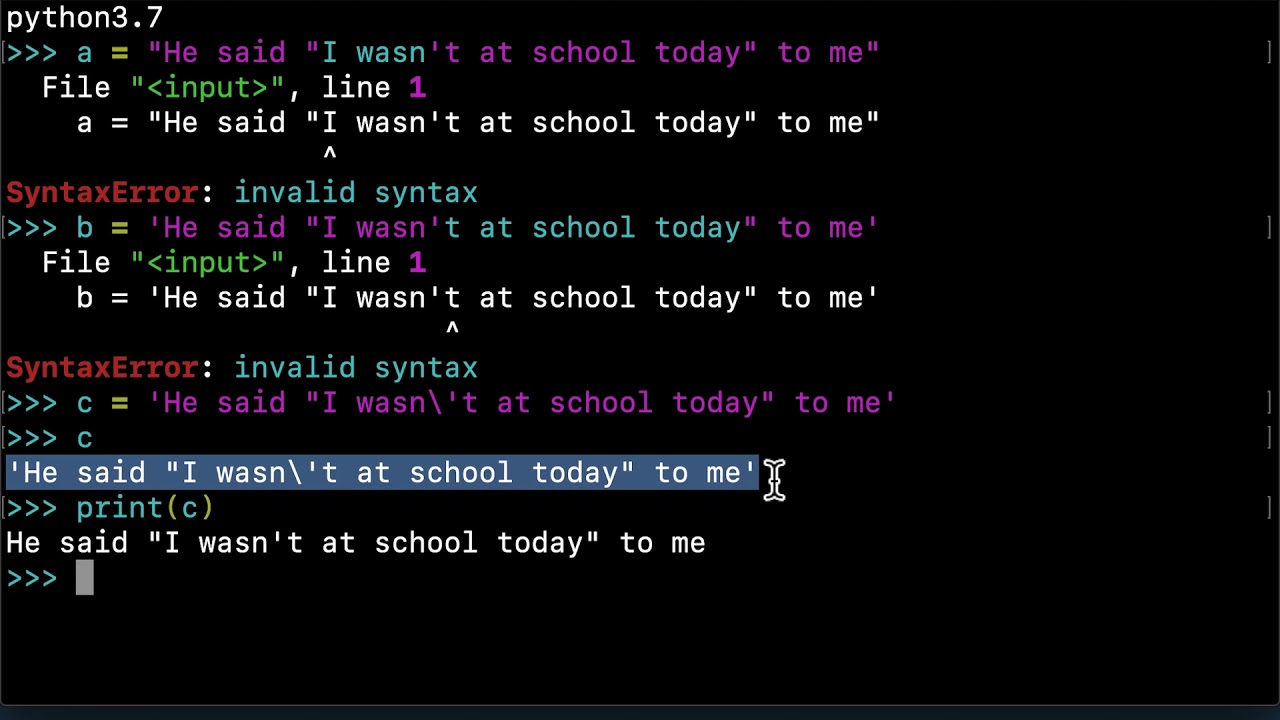
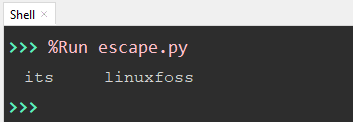
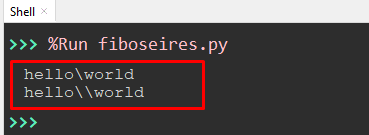
To escape special characters in a Python string enclosed in single quotes, you can use the backslash (`\`) character. Here are some examples:
`\'` : escapes a single quote
`\\` : escapes a backslash
`\n` : escapes a newline character
`\t` : escapes a tab character
Here's an example of escaping special characters in a Python string using single quotes:
```python
my_string = 'This is a string with a \'single quote\' and a \\backslash\\'
print(my_string)
```
Output:
```
This is a string with a 'single quote' and a \backslash\
```
As you can see, the single quote and backslash are correctly escaped, ensuring that the string is printed as intended.

### Best Practices for Escaping Special Characters
To avoid common pitfalls when working with Python strings, follow these best practices:
Always escape special characters in your strings to prevent syntax errors.
Use raw strings (prefix the string with `r`) when working with file paths or regular expressions to avoid backslash escaping issues.
Use double quotes (`"`) instead of single quotes (`'`) when working with strings that contain single quotes.
### Conclusion
Escaping special characters in Python strings is a crucial aspect of writing robust and error-free code. By using single quotes and the backslash character, you can ensure that your strings are correctly formatted and printed as intended. Remember to follow best practices, such as always escaping special characters and using raw strings when necessary, to avoid common pitfalls and make your code more readable and maintainable.
With this comprehensive guide, you're now equipped to handle special characters in Python strings with confidence. Whether you're a beginner or an experienced developer, mastering string escaping is an essential skill that will take your Python programming to the next level.